
Create and edit pages
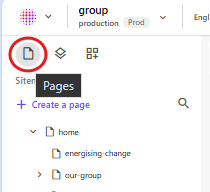
Click on Pages in the far-left panel to view the content tree.
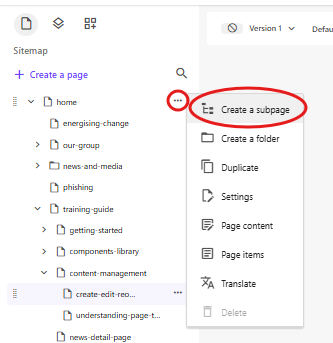
Hover over a page in the tree and click on the 3 dots to display a menu with options. Select Create a subpage.
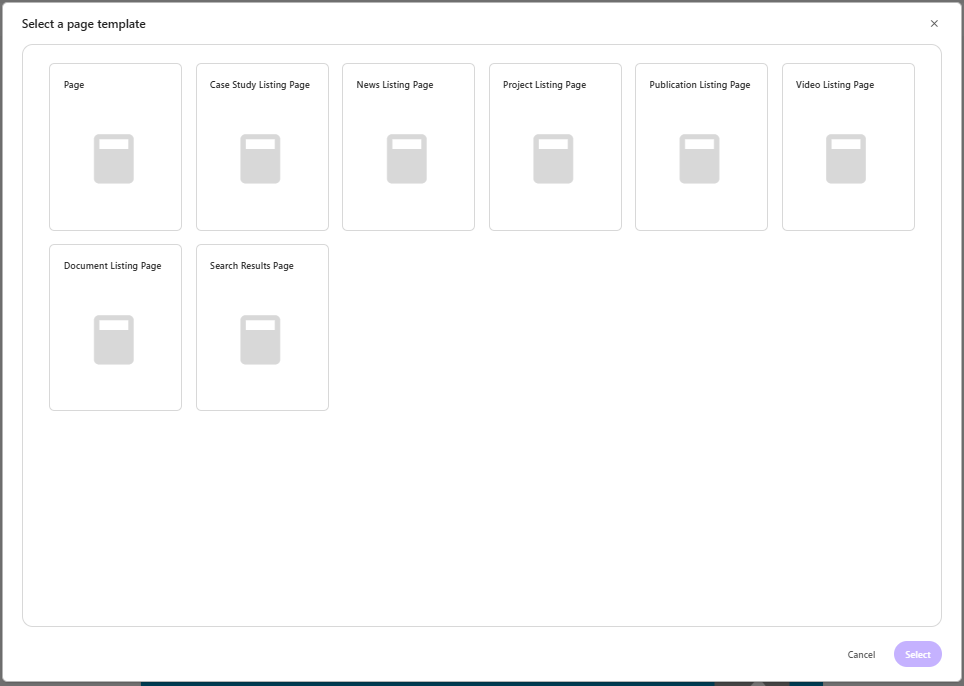
In the Select a page template window, click on the relevant page template you wish to use and click Select.
- Enter a name for the new page using alphanumeric characters only. Spaces in page names will be replaced with a dash, and uppercase letters will change to lowercase. e.g. If you type Sustainable Solutions as the page name, after you press enter, the format will change to sustainable-solutions.
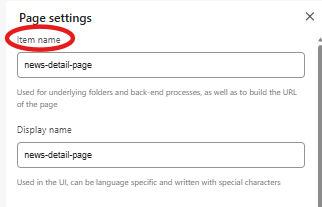
If you wish to change the page URL to be different to the page display name, click the 3 dots next to the page, select Settings, and edit under Item name.
- For each new page created, please ensure you enter page properties and meta data, and assign the relevant tags.
Delete pages
Hover over the page you want to delete and click on the 3 dots to display the menu.
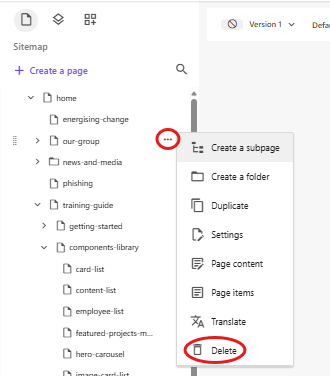
- Select Delete.
- A confirmation pop-up will appear. Click Delete to permanently delete the page or Cancel to retain the page.
Reorder pages
- Click and drag a page to where you want to place it in the content tree.
Important: Reordering a page will only change the order in Sitecore. This will not change the order of pages and links as they appear in the header and footer on the website. Please refer to the Global header and Global footer sections in Website structure overview on how to reorder pages in the navigation. |