
The page content component is used to display standard content on a page.
- In Pages, navigate to the page you want to add the component to.
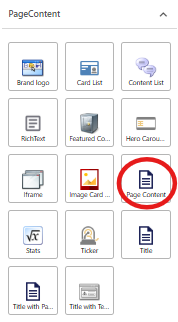
From the Components panel, drag and drop the PageContent > Page content component into the Main container on the page, or click on the + icon in the Main container and select the Page content component from the popup window.
- The new data source will appear on the page. Enter content into the Content field.
- Apply any advanced styling options for this component. Advanced style options appear in the right-hand panel for each component. The table below describes the options available for this component.
Style | Description |
|---|---|
Is Contained | By default, the component will display full width. If you want to add padding on the left and right of the component, tick the Is Contained checkbox |
Themes | To apply a theme, refer to: |
5. Publish the page.