
The footer contains 2 logos:
- a footer logo that appears on the top left
- a parent logo that appears on the bottom right

Footer logo
In Content Editor, navigate to: <Group Site> [Node] / Data [Node] / Images [Node] / FooterLogo [Node], e.g. CPB / Data / Images / FooterLogo.
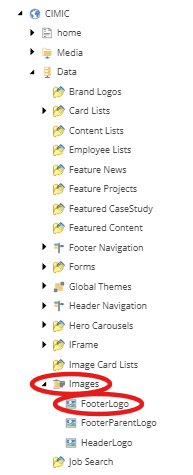
In the Image field, click Clear to remove the existing logo in the field and click Browse.

- Find and select the replacement logo from the media library.
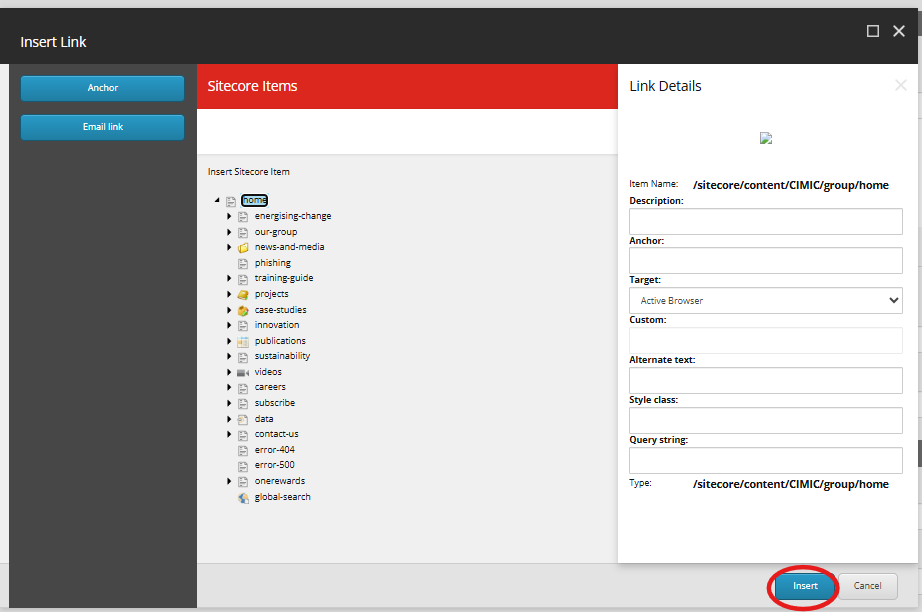
Update the URL field if required, by clicking on Insert link.

In the Insert link dialogue window, navigate to the page in the content tree you want to link the logo to, and click Insert.
- Save and publish your changes.
Parent logo
In Content Editor, navigate to: <Group Site> [Node] / Data [Node] / Images [Node] / FooterParentLogo [Node], e.g. CPB / Data / Images / FooterParentLogo.
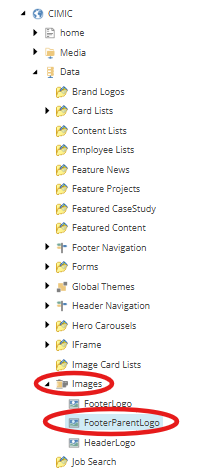
In the Image field, click Clear to remove the existing logo in the field, and click Browse.

- Find and select the replacement logo from the media library.
Update the URL field if required, by clicking on Insert link.

In the Insert link dialogue window, navigate to the page in the content tree that you want to link the logo to, and click Insert.
- Save and publish your changes.