
In Sitecore XM Cloud, you can create redirects in Content Editor that point users to either an internal page within the website or an external website.
- Navigate to Content Editor.
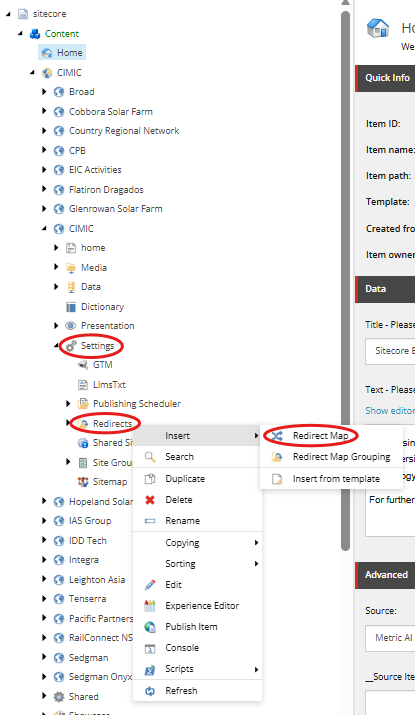
Expand your website and navigate to Settings > Redirects. Right-click Redirects and select Redirect Map.
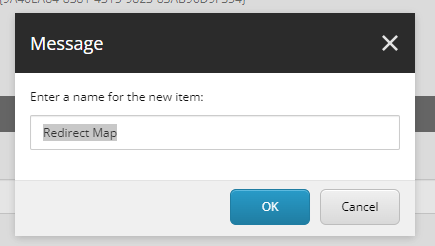
Enter a name for the redirect item and click OK.
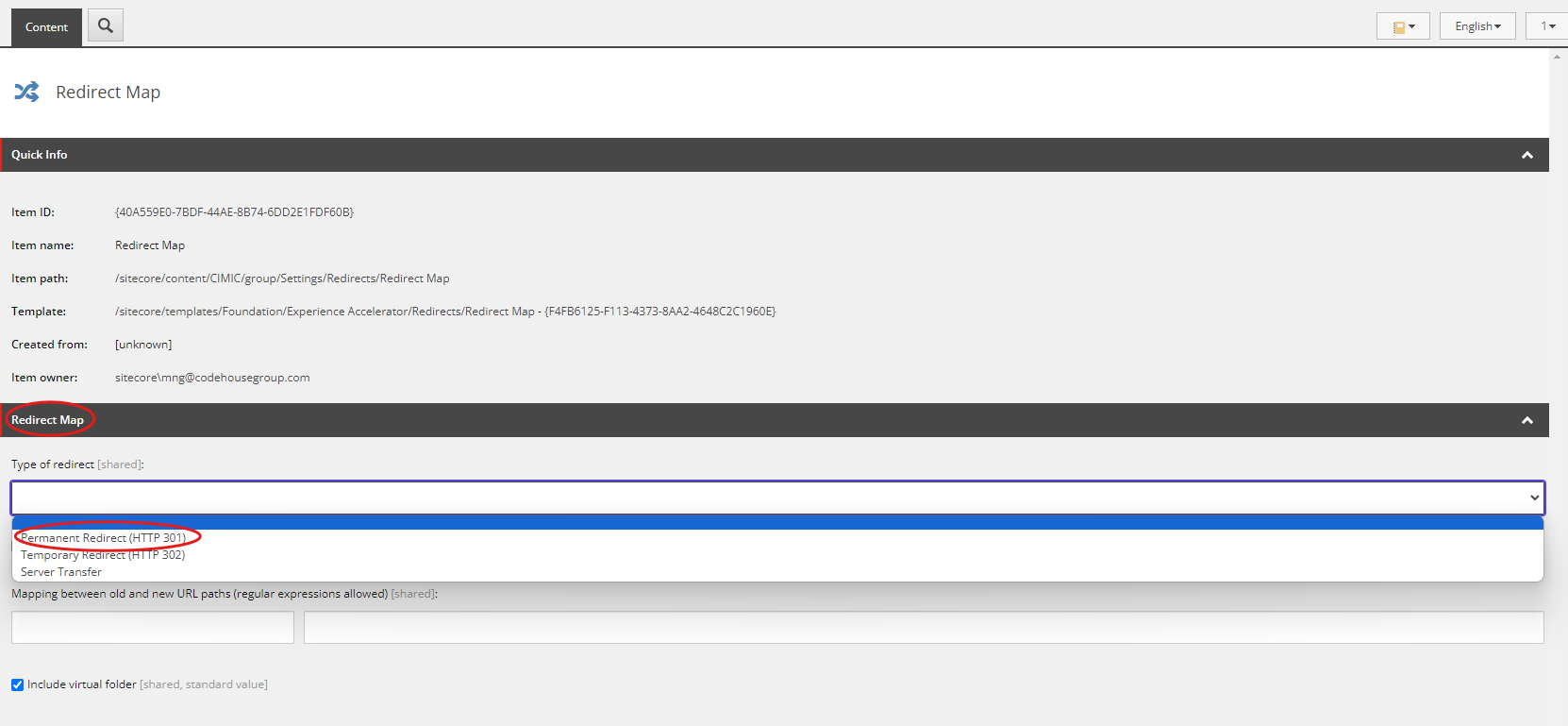
Once the item has been created, locate the Type of redirect field and select Permanent redirect (HTTP 301).
Note: A 301 redirect is recommended for SEO purposes as it indicates that the page has been permanently moved. - A single Redirect Map item can contain multiple redirects. Use the Mapping between old and new URL path (regular expression allowed) field to configure the redirect mappings.
- In the left column, enter the URL path you want to redirect from.
In the right column, enter the destination URL path you want to redirect to.
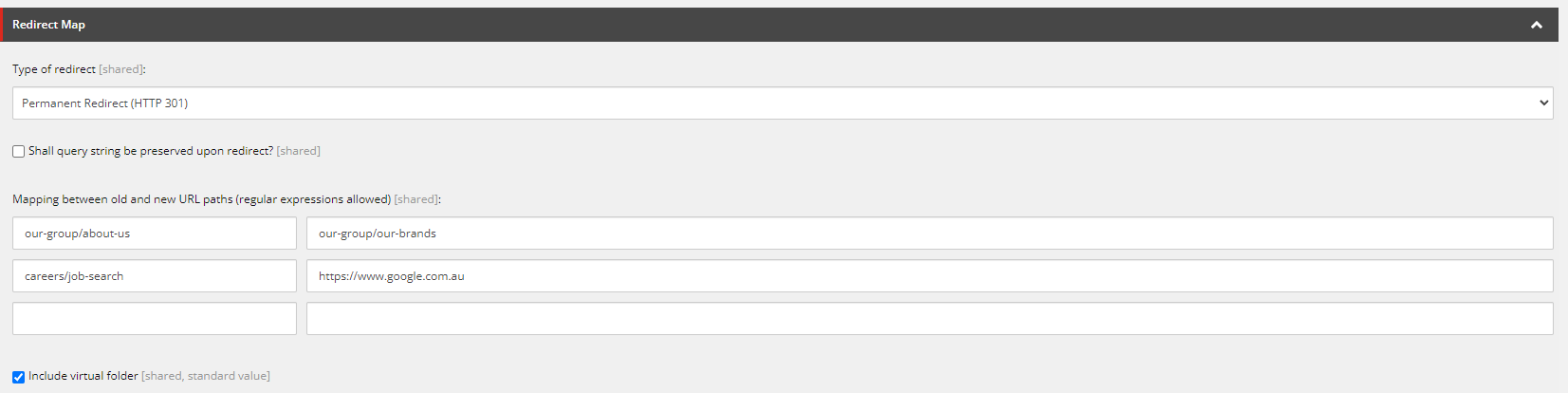
- To redirect to an internal page within the website, enter the destination page path in the same format as the source path. Example: about-us/our-history → our-group/our-brands
- To redirect to an external website, enter the full URL in the destination field. Example: careers/job-search → https://www.google.com.au/
- Review all redirect mappings and confirm that the source and destination paths are correct.
- Save the Redirect map item.
- Publish the item to make the redirects available on the live website.