LinkedIn

Subscribe to our news

CIMIC
  • Our Group
  • Projects
  • Innovation
  • Sustainability
  • Careers
  • News & media

Content Hub integration

Introduction

The integration between Content Hub and Sitecore XM Cloud streamlines the News and Media Release publishing process by centralising most content creation and management activities within Content Hub. 

While Sitecore XM Cloud is primarily used for publishing content, articles can still be edited after they have been synchronised from Content Hub. This guide outlines the steps required to publish content in Sitecore XM Cloud following synchronisation from Content Hub.
  1. Follow the standard Content Hub publishing process to synchronize News/Media Releases content to XMC. This will happen instantly.
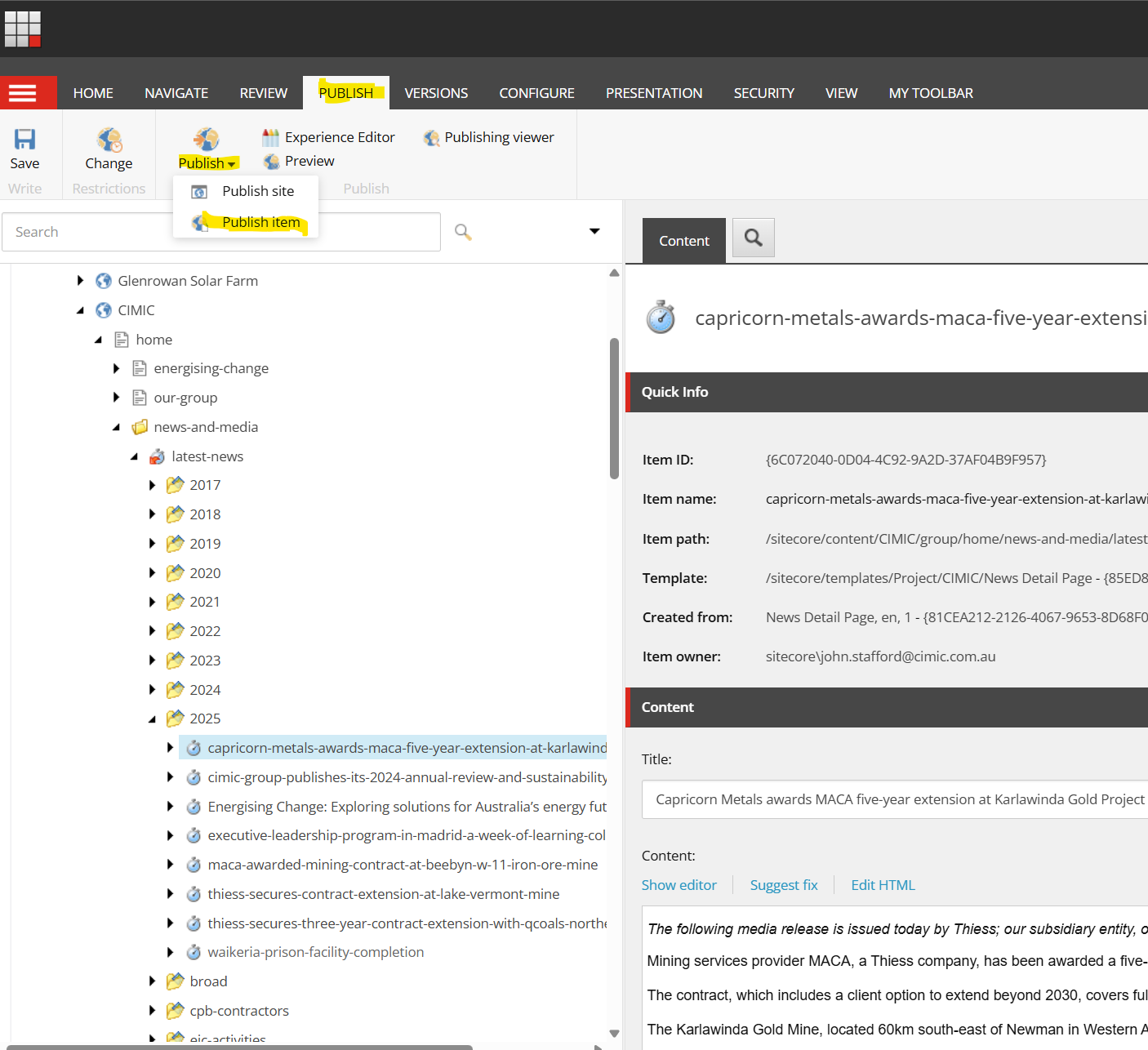
  2. Locate the News/Media Releases that have just been synced from the Content Editor content tree.
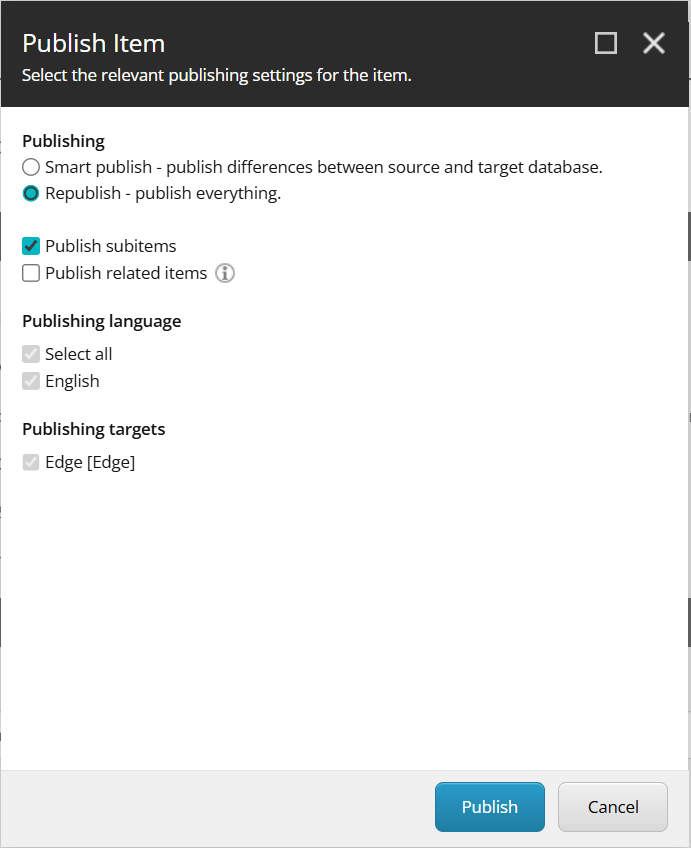
  3. Proceed to the Publish tab and continue with the usual publishing process in Sitecore XMC.
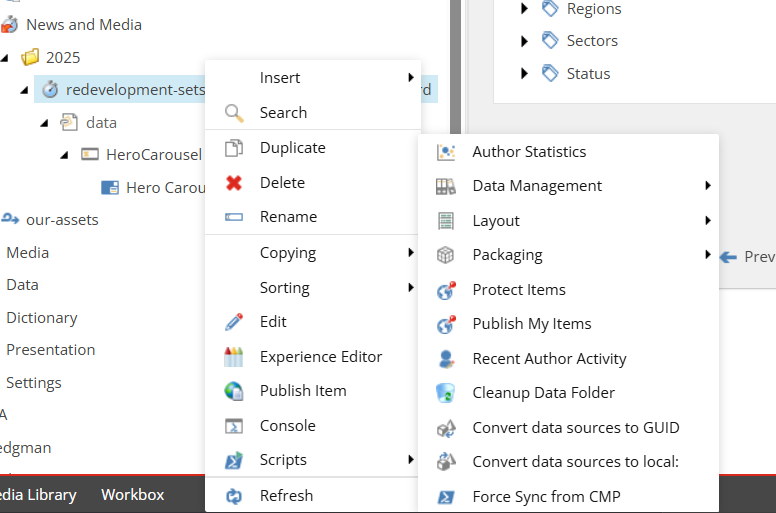
  4. If the News/Media Releases you published are not visible, please allow up to 10 minutes for them to appear or follow use the force sync button as per screenshot below
     

    force sync


NOTE: The fields below must be entered in Content Hub in order for the sync to happens correctly

  • Heading/Title
  • Body
  • Language
  • Type (News/Meadia Release)
  • Primary Company
  • Publication Type
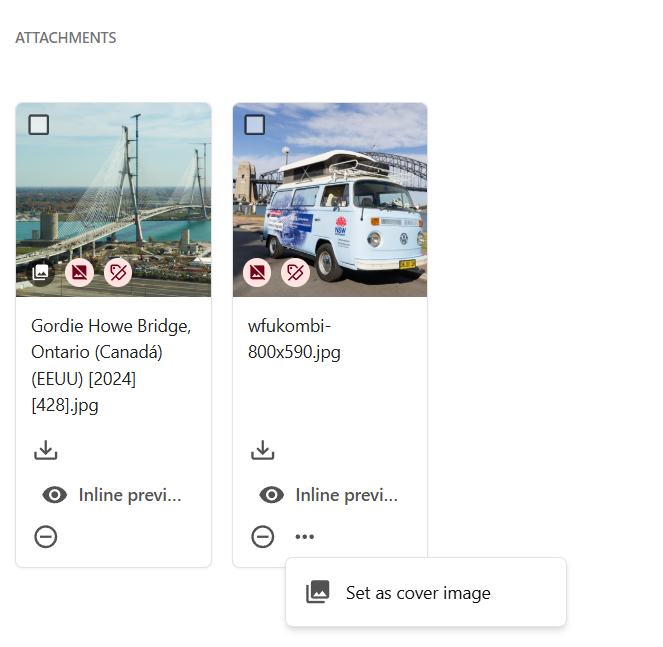
  • Set Cover Image (add attachment - set cover image)
     

CIMIC
Generating sustainable returns by delivering projects for our clients while providing safe, rewarding and fulfilling careers for our people.
Contact us
  • Enquiries
    • Privacy Policy
      • Privacy Collection Statement
        • Ethics line
          • Cyber fraud
            Latest news
            • Subscribe to our newsletter
              Work with us
              • Job search
                • Graduate program
                  • Undergraduate program
                    • Suppliers and partners
                      Copyright © 2026 CIMIC Group